
Your Company Your Company
HTML v5

HTML: HyperText Markup Language

The only place where divs get along, and margins keep their distance.

The Foundation of Web Development

Unleash your imagination and explore a world of endless possibilities with HTML. Learn the essential concepts to create, structure, and style your web pages effectively.

Getting Started with HTML

A complete guide to start your journey in web development with HTML.

Introduction to HTML

What is HTML?

HTML (HyperText Markup Language) is the standard language for creating web pages. It provides the basic structure of a webpage, allowing you to format content, add images, links, and multimedia.

HTML is essential for anyone looking to start their journey in web development, as it’s the foundation upon which all websites are built.

Why Learn HTML?

Essential for Web Development

HTML forms the building blocks of every website, and it’s the first step to understanding how websites are structured and styled.

Easy to Learn and Use

HTML is beginner-friendly and intuitive, making it easy to get started without any prior coding knowledge.

Universal Skill

Knowing HTML is a valuable skill that applies to various fields such as web design, content creation, and digital marketing.

Foundation for Advanced Learning

HTML provides a strong foundation for learning other web technologies like CSS, JavaScript, and web frameworks.

HTML Basics

HTML consists of elements used to structure the content on a web page. Each element is represented by a tag, such as:

  • <h1> - <h6>: Headings of different sizes
  • <p>: Paragraphs
  • <a>: Links
  • <img>: Images
  • <div>: Divisions or sections

These tags allow you to organize and present content effectively on your web pages.

HTML Basics

Getting Started with HTML

Follow these steps to start building your own web pages with HTML:
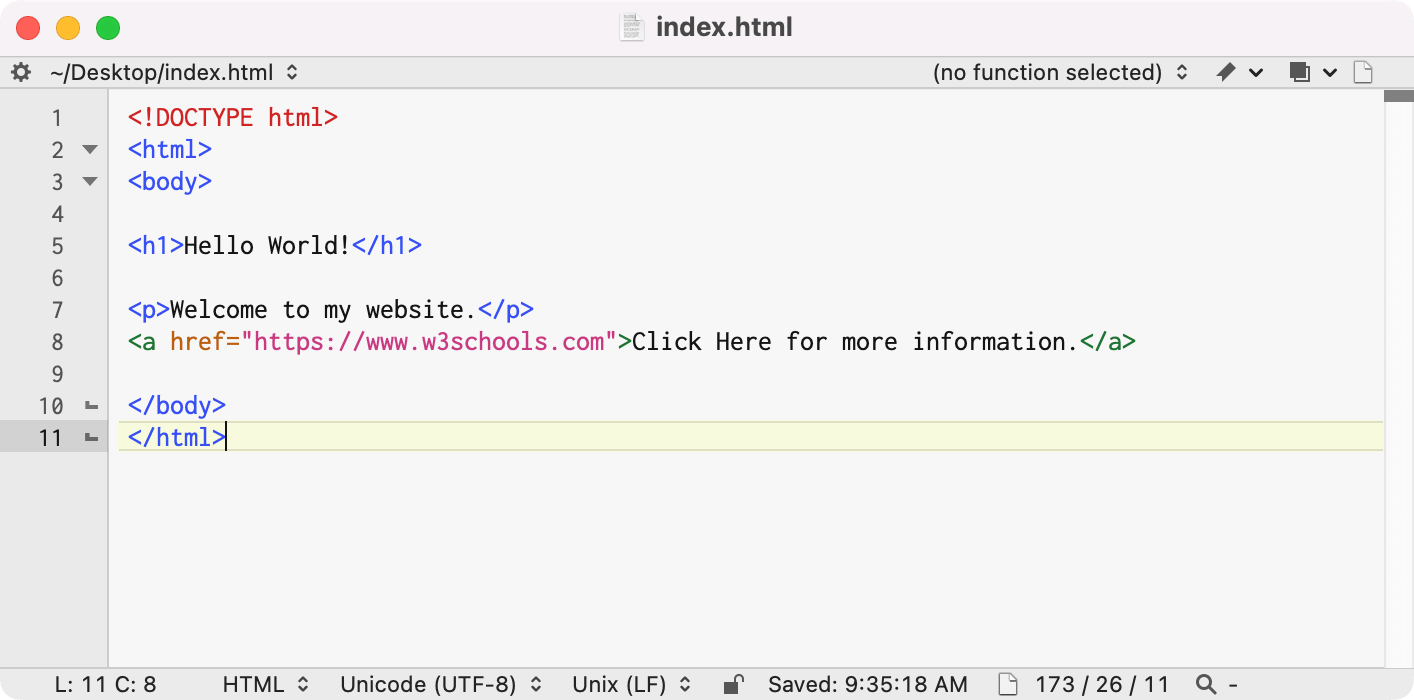
Text Editor

1. Choose a Text Editor

Install a code editor like VS Code or Sublime Text to write and edit HTML code.
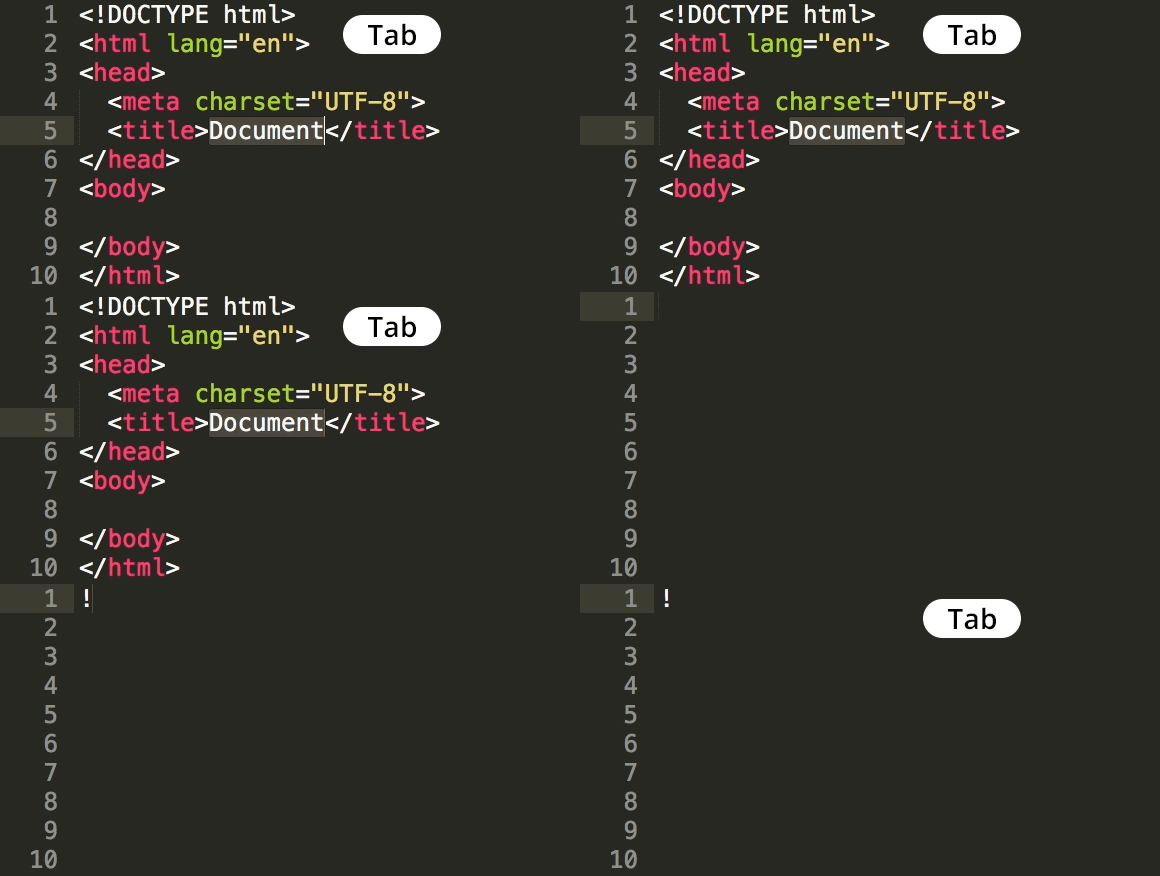
HTML Template

2. Create an HTML File

Start by creating a new file with the .html extension, and add basic structure.
Run on Browser

3. View in Browser

Open the HTML file in your browser to see the content displayed on a webpage.

Sample Code 01

Welcome to My Website

This is a simple HTML page structure.

Tag Definitions

  • <!DOCTYPE html> - Defines the document type and HTML version.
  • <html> - Root element of an HTML page.
  • <head> - Contains meta-information about the HTML document.
  • <title> - Sets the title of the webpage (appears on the browser tab).
  • <body> - Contains the content of the HTML page.
  • <h1> - Defines a top-level heading.
  • <p> - Defines a paragraph.
Sample Code 02

My Favorite Websites

Tag Definitions

  • <ul> - Defines an unordered list.
  • <li> - Represents an item in a list.
  • <a> - Defines a hyperlink.
  • <button> - Represents a clickable button.
Sample Code 03

Steps to Create a Simple Web Page

  1. Open a text editor.
  2. Write basic HTML structure.
  3. Save the file with a .html extension.
  4. Open the file in a browser to view.
Placeholder Image

Follow these steps to create your first web page using HTML!

Tag Definitions

  • <ol> - Defines an ordered list.
  • <img> - Embeds an image in the HTML page.
  • <p> - Defines a paragraph.

HTML Learning Resources

Explore these resources to kickstart your HTML journey!

📺 HTML YouTube Playlists

Learn HTML from some of the best YouTube playlists curated for beginners:

📝 HTML Practice Worksheets

Enhance your skills with these practical worksheets:

Summary of HTML Learnings

Congratulations on completing the HTML module! Here's a recap of what you've learned:

Basic Structure

Understand the foundational structure of HTML documents, including elements like <html>, <head>, and <body>.

Text Formatting

Learn how to format text using headings, paragraphs, lists, and other inline elements like <b>, <i>, and <span>.

Links and Images

Discover how to add hyperlinks with <a> tags and embed images using <img> to make your pages interactive.

Lists and Tables

Create ordered and unordered lists for content organization, and build tables using <table> to display data effectively.

Ready to Level Up Your Skills?

Take the next step in your web development journey and master the art of styling with CSS!

Explore CSS Course